Foccus
A minimal Pomodoro timer with a retro flip-clock display. Built with Tauri (Rust + React), it features customizable work/break sessions, desktop notifications, system tray integration, mini mode, and always-on-top support.
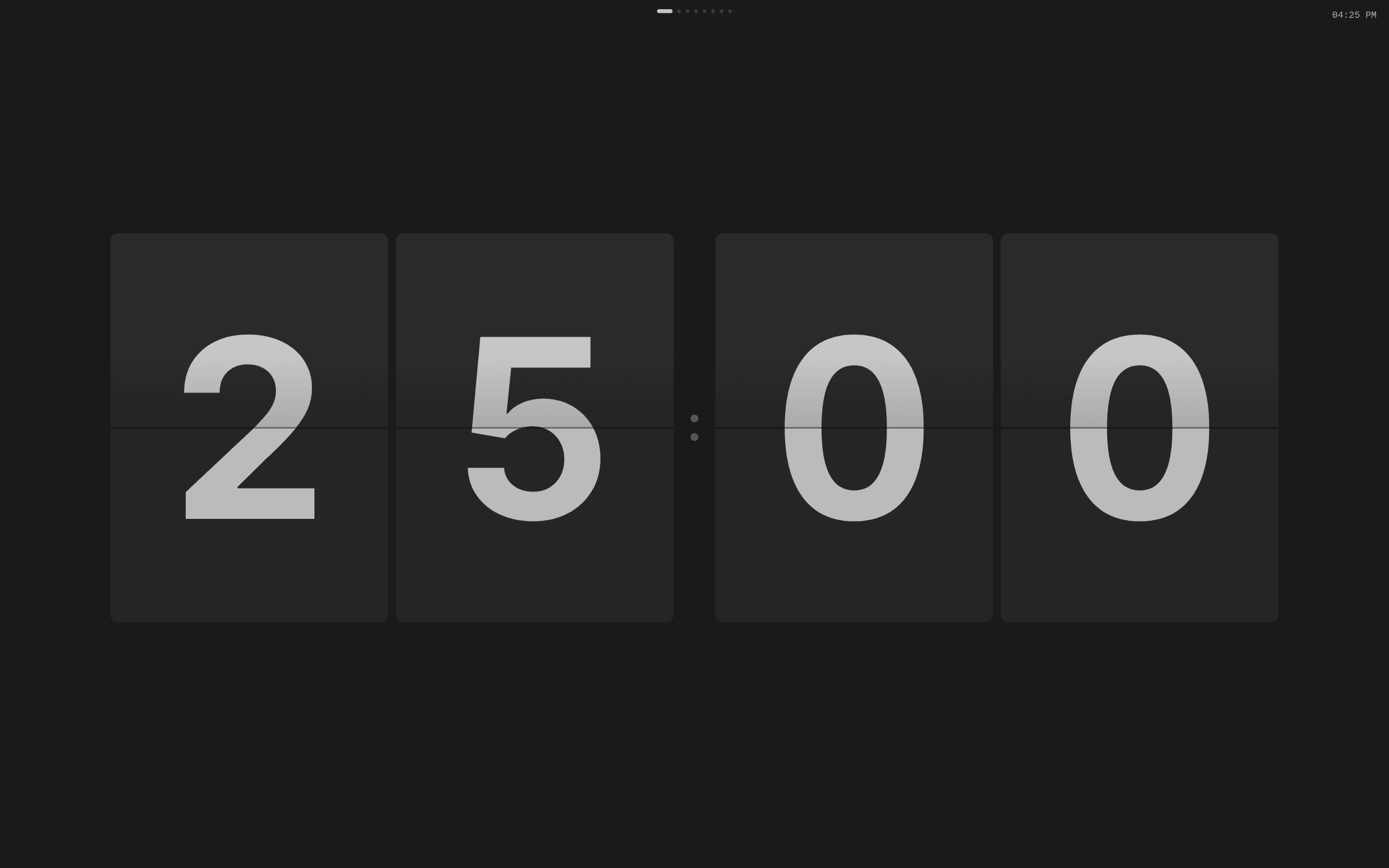
Foccus — Minimal Pomodoro timer with retro flip-clock
A distraction-free Pomodoro timer built as a native desktop app with Tauri. Features a retro flip-clock display, customizable sessions, and system tray integration.
Features
- Retro flip-clock animation for a satisfying visual experience
- Built-in presets: Classic Pomodoro, Short Focus, Deep Work
- Customizable work/break session durations
- Desktop notifications with sound alerts
- System tray integration for background operation
- Mini mode for a compact, unobtrusive view
- Always-on-top option to keep the timer visible
- Full keyboard shortcut support
Keyboard Shortcuts
| Key | Action |
|---|---|
Space | Start / Pause |
S | Skip segment |
Esc | Stop timer |
F | Toggle fullscreen |
M | Toggle mini mode |
P | Pin on top |
Installation
One-line install (Linux/macOS)
curl -fsSL https://raw.githubusercontent.com/idityaGE/foccus/main/scripts/install.sh | bash
The script auto-detects your distro and either downloads a pre-built package or builds from source.
Build from source
git clone https://github.com/idityaGE/foccus.git
cd foccus
bun install
bun run tauri build
Requires Rust, Bun, and platform-specific Tauri dependencies.
Tech stack
- Tauri 2 — Rust backend with native window management and system tray
- React + Vite — Fast frontend with hot module replacement
- TypeScript — Type-safe component logic
- ShadCN UI — UI components for settings and controls
- GitHub Actions — CI/CD with automated
.deband.rpmbuilds
Why Tauri?
Tauri produces tiny binaries (compared to Electron), uses the system webview, and gives full access to native APIs through Rust. For a timer app that sits in your system tray all day, the low memory footprint matters.